
The web has traditionally represented color within the range from black (#000000) to white (#FFFFFF). CSS colors such as text and backgrounds, along with images, have all been handled within that range. Recently, however, the web has started to support luminance beyond that range.
That conventional luminance range is called SDR (Standard Dynamic Range). Anything beyond it is called HDR (High Dynamic Range). With HDR, light brighter than white can be reproduced in a way that feels closer to what we see with the naked eye.
As of 2025, browser support has advanced enough that HDR can now be used on the web. This article introduces both the appeal of HDR and how to implement it.
What this article covers
- HDR enables more realistic rendering and makes photos and video more compelling
- HDR is possible with still images, video, and WebGPU
- HDR-capable smartphones are already widespread
- Web creators need to be aware of HDR
Implementation examples
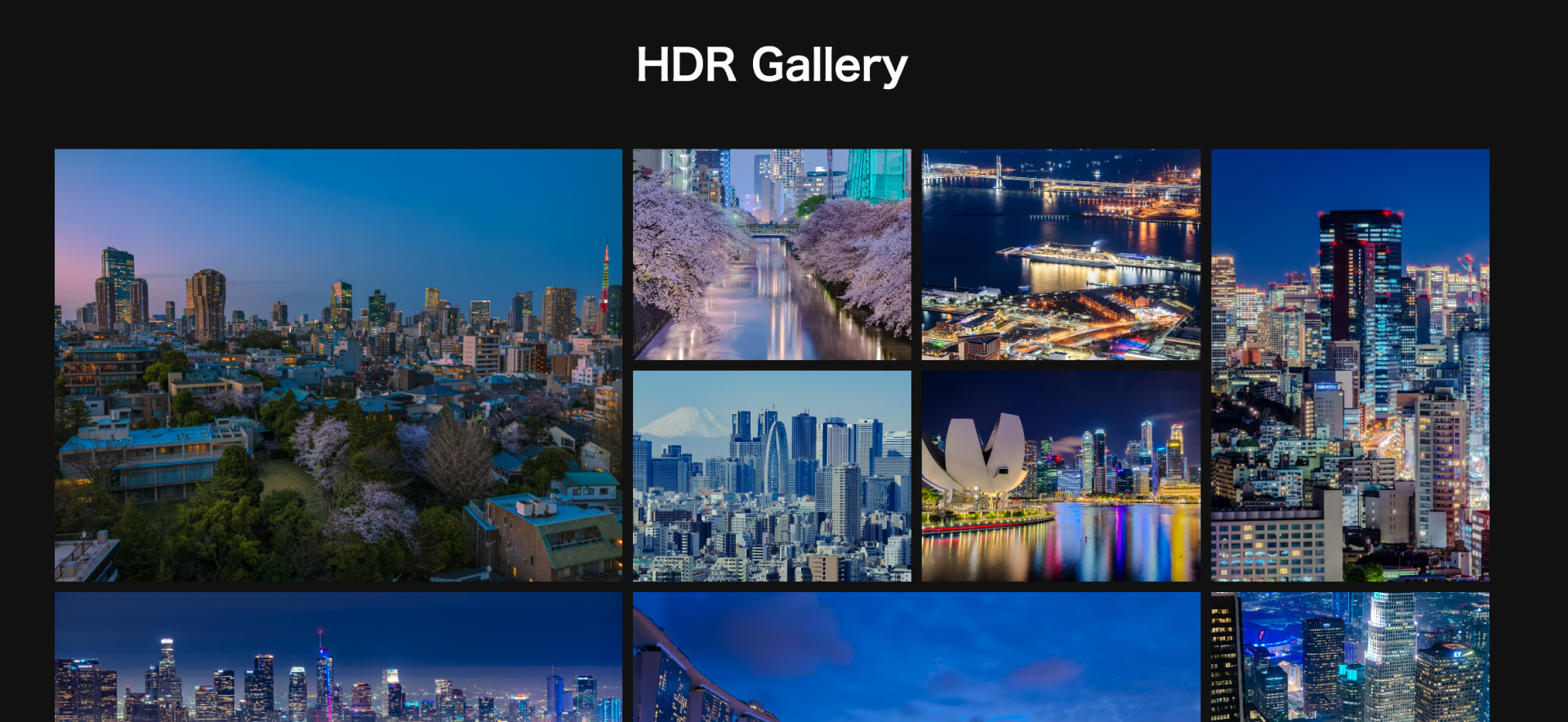
To help you experience what HDR display looks like, a custom photo gallery demo is available. Try it in the latest version of Chrome, Edge, or Safari on an HDR-capable display such as an iPhone Pro. When you open a photo in the detail view, it will be shown in HDR on compatible displays.
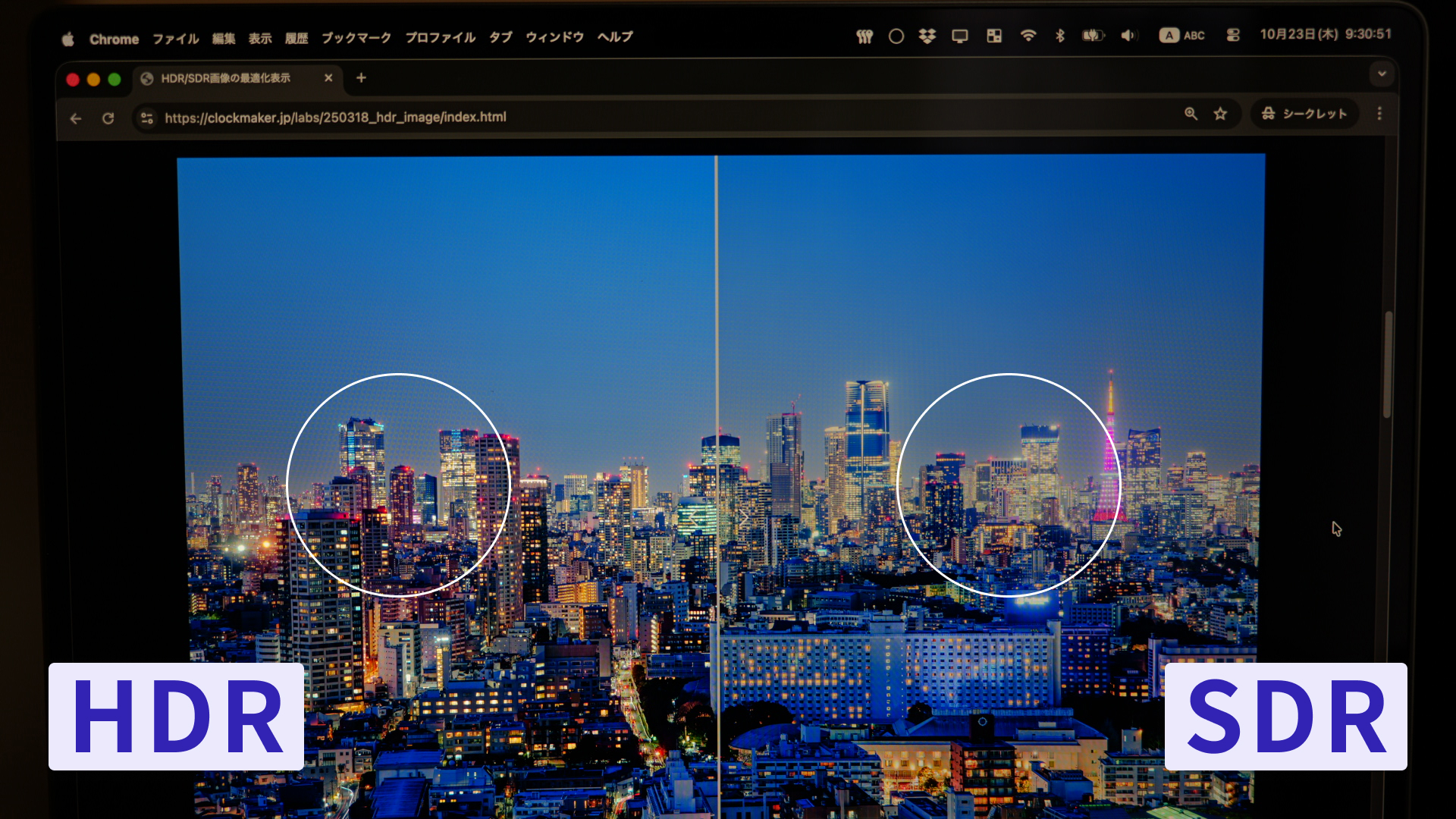
There is also a demo that lets you compare SDR and HDR side by side. Drag the divider between the images to compare the two versions.
You can see that the bright light sources in the photo stand out and render brighter than white. That is the effect of HDR.
Why HDR has spread
Displaying HDR requires compatible displays and software.
Over the last few years, support for HDR has expanded across devices, operating systems, and browsers. HDR displays first appeared in the 2010s in fields such as gaming, and on mobile devices they arrived with products such as the iPhone X and Xperia XZ Premium in 2017.
Among mobile apps, Meta’s social platforms — Instagram, Threads, and Facebook — have been especially proactive about HDR support. Some people may have noticed posts in Instagram Stories that suddenly make the screen look brighter. That is HDR.
Today, HDR-capable smartphones are common, and users are probably posting HDR still images and video without even realizing it.
The effect of HDR
The main benefit of HDR lies in highlight rendering. In scenes such as city lights at night or bright reflections, HDR can express differences in brightness more richly, making the scene feel closer to how it looks in the real world.
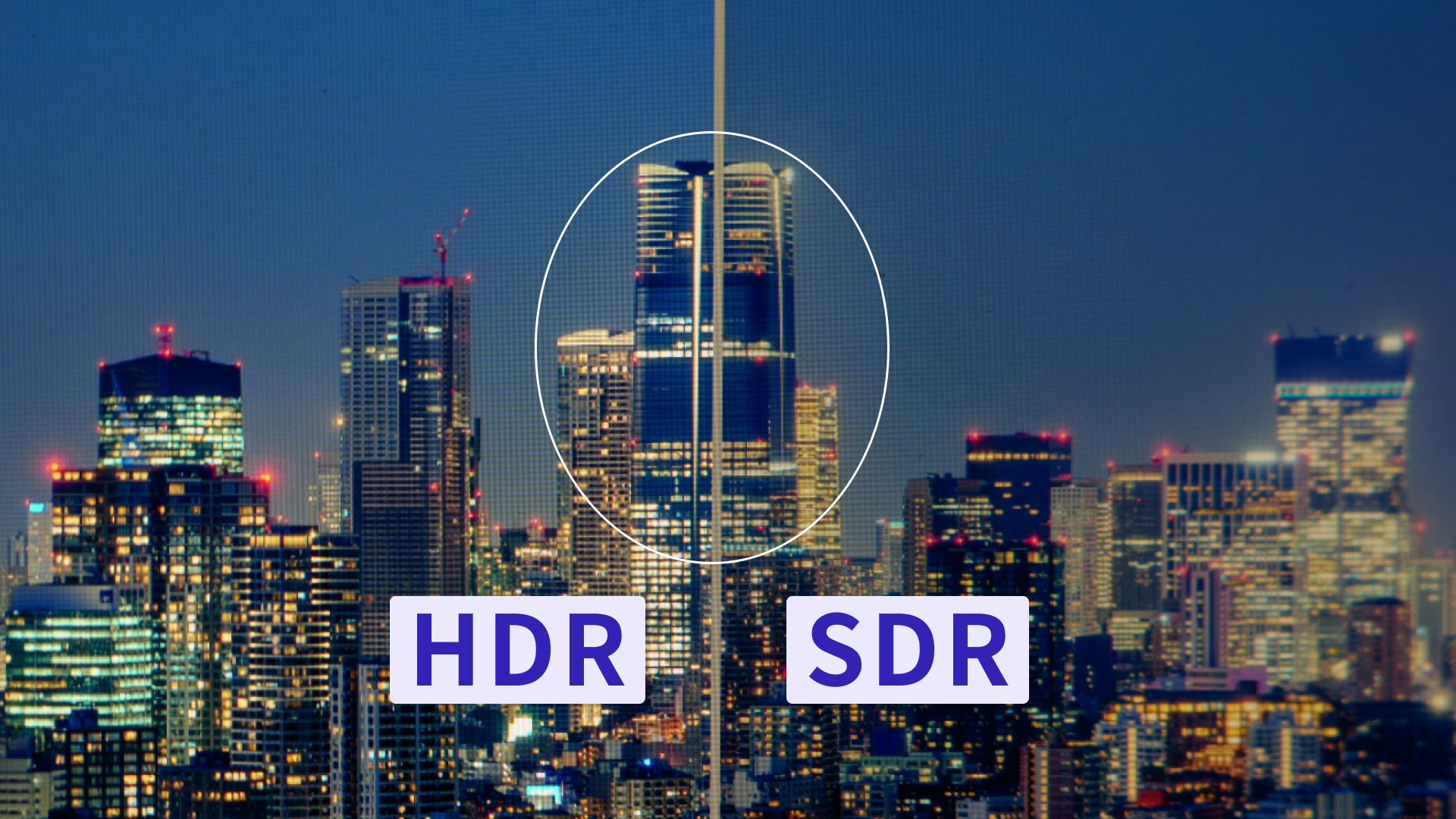
The following photo compares HDR and SDR side by side. In this night view of high-rise buildings, pay attention to the brightness of the lights in the windows.
In SDR, they appear as bright white areas. In HDR, they appear as actual luminous highlights.
The downside is that HDR is hard to demonstrate with still images. It is inherently difficult to explain HDR luminance that SDR cannot represent using SDR illustrations. To convey the difference as clearly as possible, a video was prepared. Take a look below.
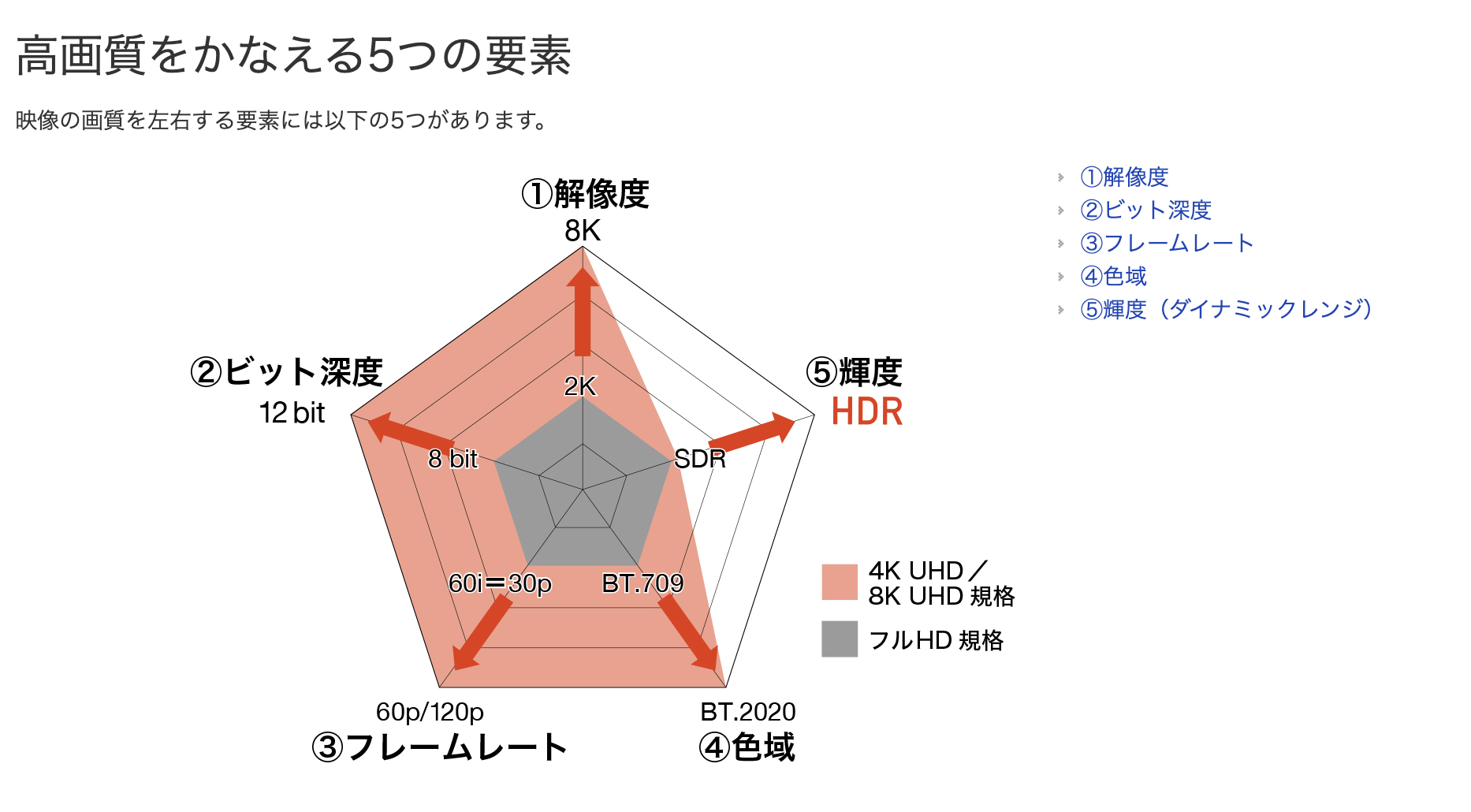
EIZO explains “The Five Elements of High Image Quality” in The Ins and Outs of HDR ― What is HDR?. On the web, color gamut had already been available through CSS, and in 2025 brightness (HDR) joined it.
How to implement HDR
Using HDR on the web is not especially difficult. Preparation comes down to the following three steps.
- Prepare HDR photo assets
- Place them normally with an HTML
<img>tag - Use CSS
dynamic-range-limitto control the maximum brightness
Creating HDR content
The prerequisite for implementation is having a valid HDR file.
If you shoot RAW with a typical digital camera, you can export HDR images from your editing software.
In Adobe Lightroom Classic, enabling HDR in the Basic panel of the Develop module switches the histogram and sliders into HDR editing mode. When exporting, choose a format such as AVIF or JPEG under File Settings, turn on HDR Output, and save the file.
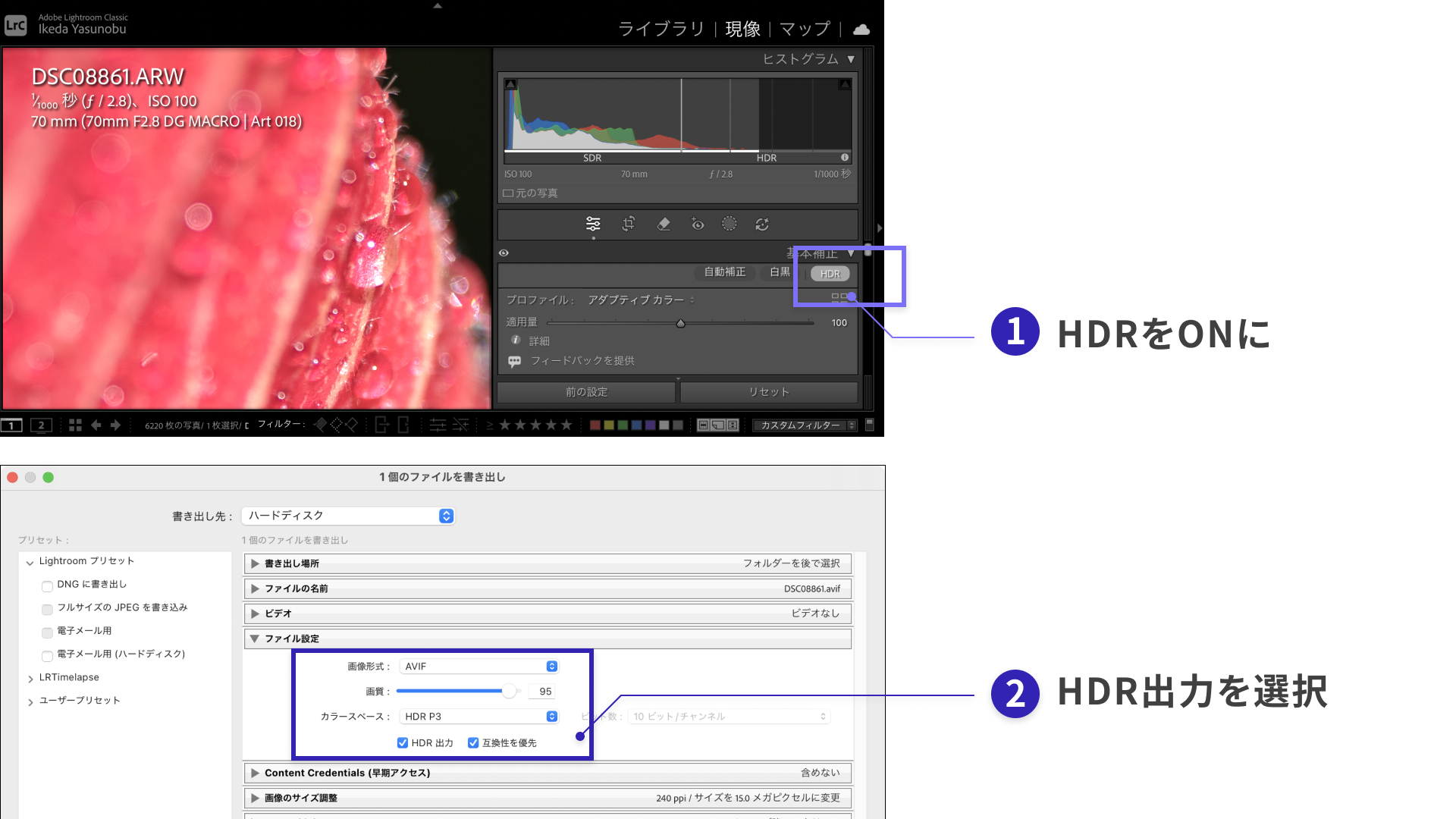
The following page is a useful reference for export workflows.
Choosing the compatibility-first option allows a photo to support both SDR and HDR because the file includes a gain map.
Even without the workflow described above, recent smartphones can record HDR by default. There are also digital cameras that can record HDR, such as the Sigma BF and the Panasonic LUMIX S1RII.
HDR support by image format
AVIF is the recommended choice.
Other image formats that can handle HDR include HEIF and JPEG XL, but browser support is still limited. Traditionally, JPEG did not support HDR, but a format called Ultra HDR (JPEG + gain map) has appeared, embedding a gain map inside JPEG. Gain maps can support both SDR and HDR, but they increase file size.
On the web, audit tools such as Lighthouse often recommend next-generation image formats. For that reason, if you want to use HDR, AVIF is the simplest option in the author’s view because it is efficient in file size as well.
WebP does not support HDR.
| Format | HDR support | Notes |
|---|---|---|
| AVIF | ✅ | Efficient and supported by all major browsers. |
| HEIF | ✅ | Efficient, but supported only in Safari. |
| JPEG XL | ✅ | Efficient, but supported only in Safari. |
| JPEG | ⚠ Partial | Can support both SDR and HDR, but files tend to be larger. |
| WebP | ❌ Not supported | HDR is not supported. |
For more on next-generation image formats, see 次世代画像形式のWebP、そしてAVIFへ。変わり続ける技術に対応するweb制作の黄金解
HTML implementation
On an HTML page, you simply place an HDR image with an img tag.
<img src="photo_HDR.avif" alt="" />
Earlier, the export step recommended choosing a compatibility-first setting. Because the file contains both SDR and HDR data, the browser can automatically display the appropriate version of the image.
Controlling HDR with CSS
HDR images can be visually intense and may stand out too much within a page. A safe approach is to keep them restrained in gallery views and enable HDR only in the detail view. CSS lets you switch the maximum brightness.
The CSS dynamic-range-limit property lets you specify, element by element, how much HDR headroom to allow. A good approach is to control whether HDR is allowed depending on the screen, as in the following example.
/* Blend into the surrounding UI in the gallery view */
.thumb img {
  /* Constrain HDR down to SDR-equivalent output */
  dynamic-range-limit: standard;
}

/* Detail view */
.detail img {
  /* Use the full capability of the display */
  dynamic-range-limit: no-limit;
}
The following keywords are available for the dynamic-range-limit property.
standard: constrain to SDR-equivalent outputno-limit: no constraint (display in HDR)constrained: moderate HDR rendering (Chrome-based browsers only)
For details, see MDN’s documentation for dynamic-range.
User-uploaded photos may already be HDR
For web services that accept user uploads, it is important to assume that HDR photos may be uploaded as-is. Many recent smartphones can capture HDR photos with the default camera app. Even if web developers are not consciously thinking about HDR, once a user uploads an HDR photo, it may display in HDR on the website and stand out from the rest of the interface.
The reverse can also happen. A user might carefully shoot and upload an HDR photo, only to have its brilliance lost after uploading to a web service. Many web services use server-side image optimization modules when handling uploads. If metadata is stripped during automatic conversion, the appearance of the image can change.
Either way, when developing a website that lets users upload photos, you need to test on both SDR and HDR displays. If web creators work only on SDR displays, they may fail to notice that HDR content is present.
On iPhone and iPad, enabling Low Power Mode forces the display to SDR.
Supported devices and how to read the specs
HDR display has become normal even on everyday devices. In product specifications, clues such as mentions of HDR10 or Dolby Vision, peak brightness values in nits, and DisplayHDR certification can help determine whether a device supports HDR.
On Apple products, the specs often list peak brightness, which indicates HDR capability.
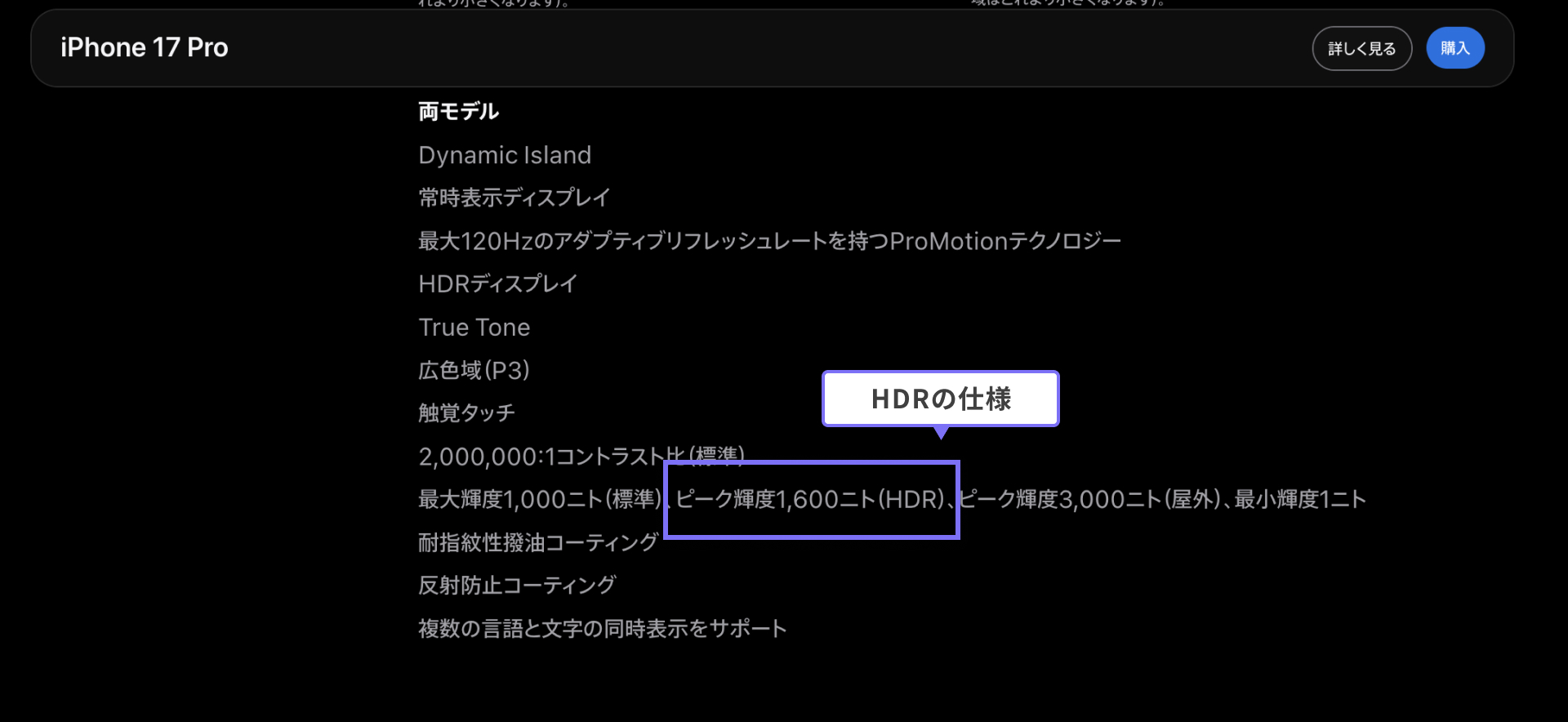
Below are some representative HDR-capable devices as of 2025.
- iPhone 17 Pro / iPhone Air / iPhone 17
- 1,000 nits max brightness (typical), 1,600 nits peak brightness (HDR), 3,000 nits peak brightness (outdoor)
- MacBook Pro
- XDR brightness: 1,000 nits sustained full-screen brightness, 1,600 nits peak brightness (HDR content only)
- SDR brightness: up to 1,000 nits (outdoor)
- Android
- Pixel 9 Pro
- 2,000 nits max brightness (HDR brightness), 3,000 nits peak brightness
- Pixel 9 Pro
- Windows
- Surface Laptop Studio 2
- VESA DisplayHDR 400 certified
- Surface Laptop Studio 2
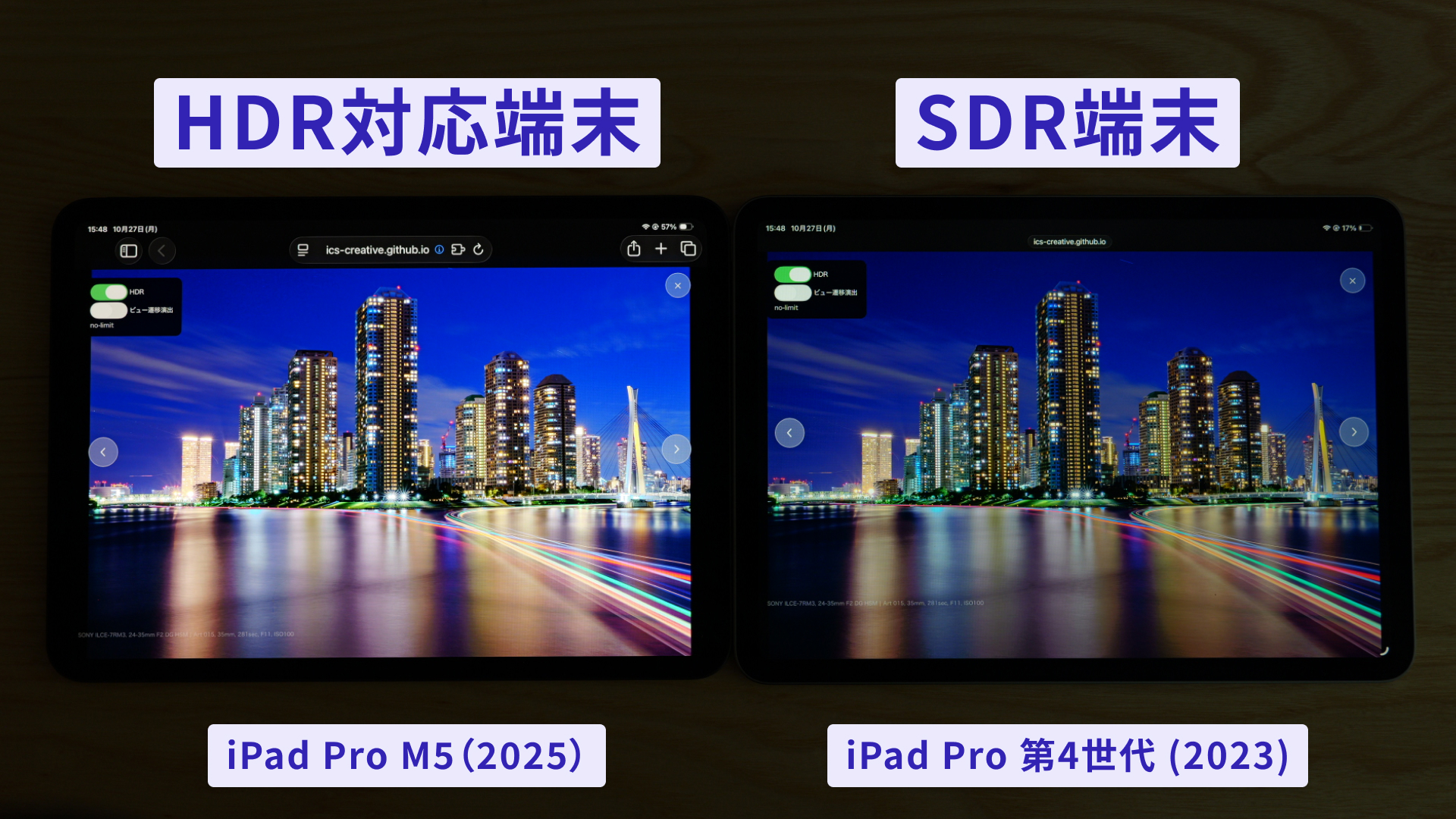
The image below shows how large the brightness difference can be on an iPad depending on whether HDR is supported.
Supported browsers
For HDR support, this article uses availability of the CSS dynamic-range-limit property as a practical baseline.
The CSS dynamic-range-limit property is available in Chrome 136 (April 2025), Edge 136 (May 2025), and Safari 26.0 (September 2025) and later.
Browser support details are available on Can I use…
CSS support began in 2025, but some browsers had already supported HDR for images and video earlier.
HDR video
This article focused mainly on HDR images, but HDR video is also supported by browsers through the video tag and can be constrained in the same way with CSS.
This is not limited to still images either — major services such as YouTube already support HDR streaming for video. If creators prepare HDR-capable video files, supported devices will show labels such as “4K HDR” during playback.
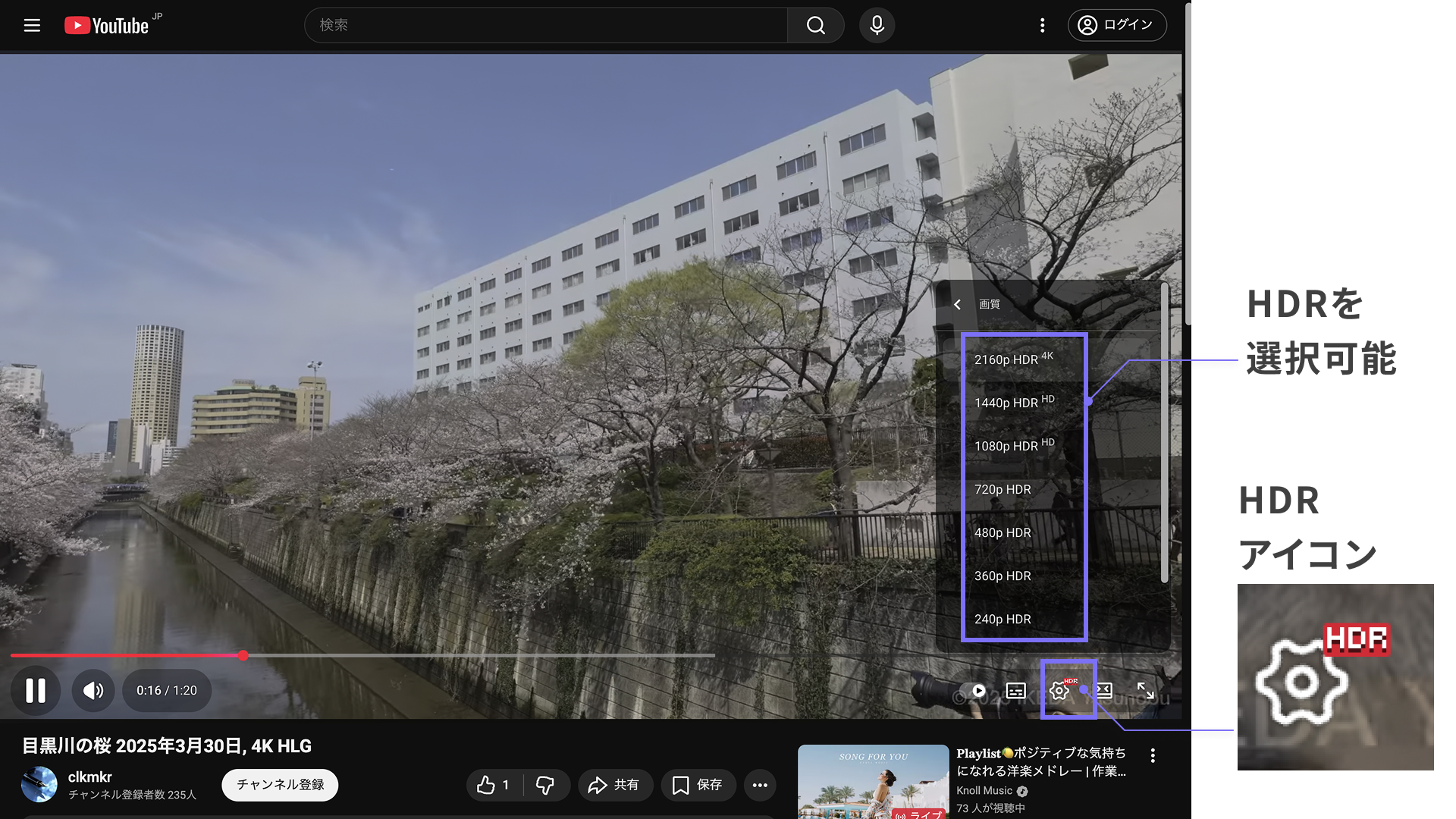
For reference, the author has posted HDR-compatible video as well.
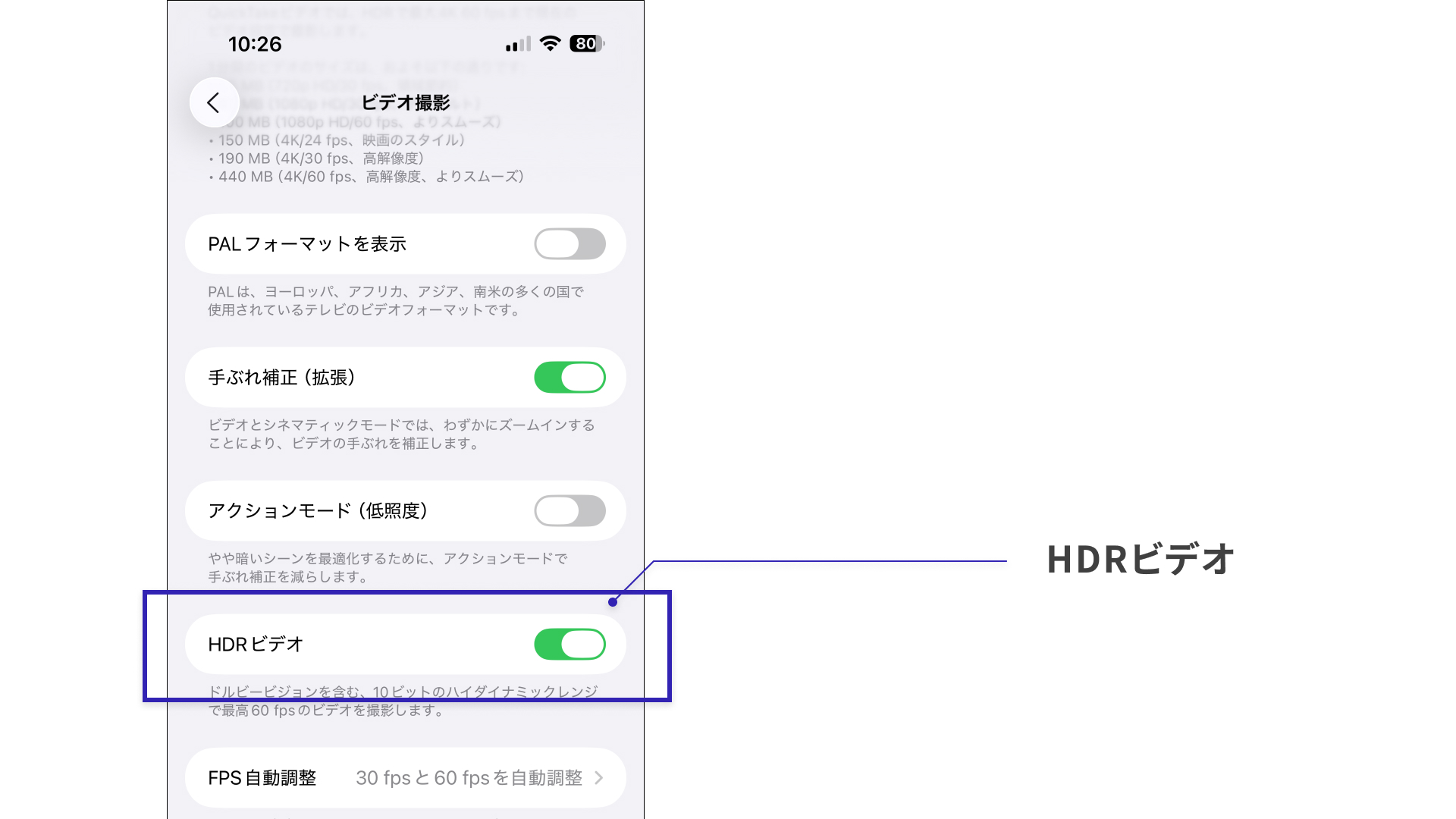
On iOS, HDR can be turned on or off when recording video. In other words, users are very likely to be creating HDR content even if they do not know HDR as a technology.
HDR is also possible with WebGPU
For the canvas tag, HDR display is possible only when using WebGPU.
A demo is available in What’s New in WebGPU (Chrome 129).
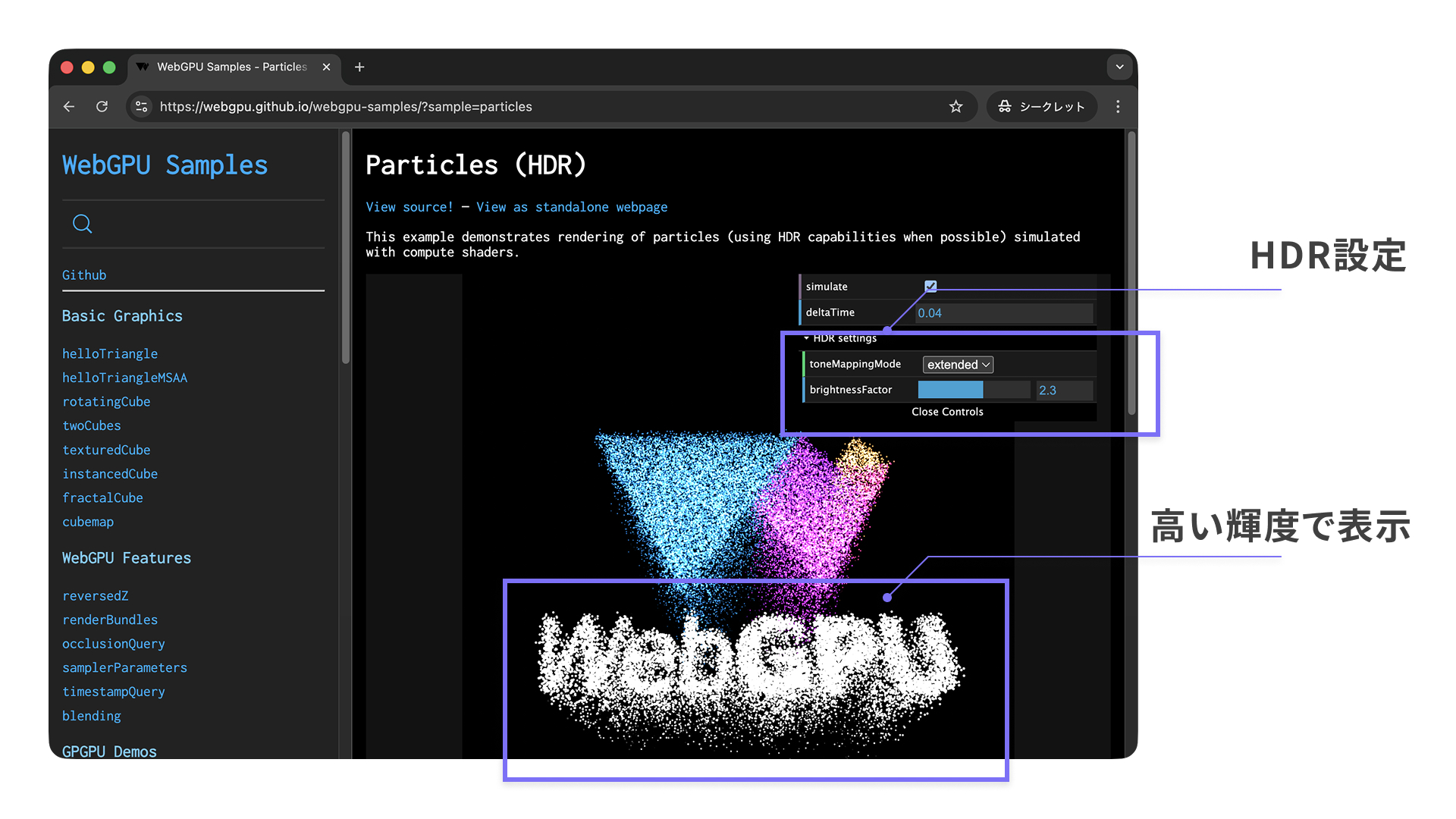
Traditional WebGL does not support HDR output, so HDR display is one of WebGPU’s advantages over WebGL.
Conclusion
This article has shown that HDR is already widespread among general users, and that the web has finally reached the point where it can use HDR as well.
At the same time, HDR brightness is a new concept for creators. Considerations needed to protect the user experience — such as controlling brightness and choosing where HDR should be used — will likely become a new area of concern.
Because high-brightness rendering is visually closer to what people actually see, it is more memorable and can greatly enhance the appeal of photos and other visual content. Now that the environment is ready, it is worth exploring how HDR photos can be used effectively on the web.
HDR support seems especially valuable for websites about cameras, lenses, and video equipment, as well as for photographers’ portfolio sites.
How this differs from HDR compositing in photo retouching
The HDR discussed in this article is not the photographic technique of combining multiple exposures to widen dynamic range (see Multi-exposure HDR capture). Regardless of whether multiple exposures were composited during shooting, the topic here is exporting the final result as an HDR image and displaying it on an HDR-capable display.