
Compared with the dawn of the web around 2000, HTML has become vastly easier to code. What was HTML coding like 10 to 20 years ago?
In this article, we look back at website production in the 2000s, when IE6 was at its height after the browser war between Netscape and IE had effectively ended. Enjoy the nostalgia, or treat it as a chance to better understand how the modern web came to be.
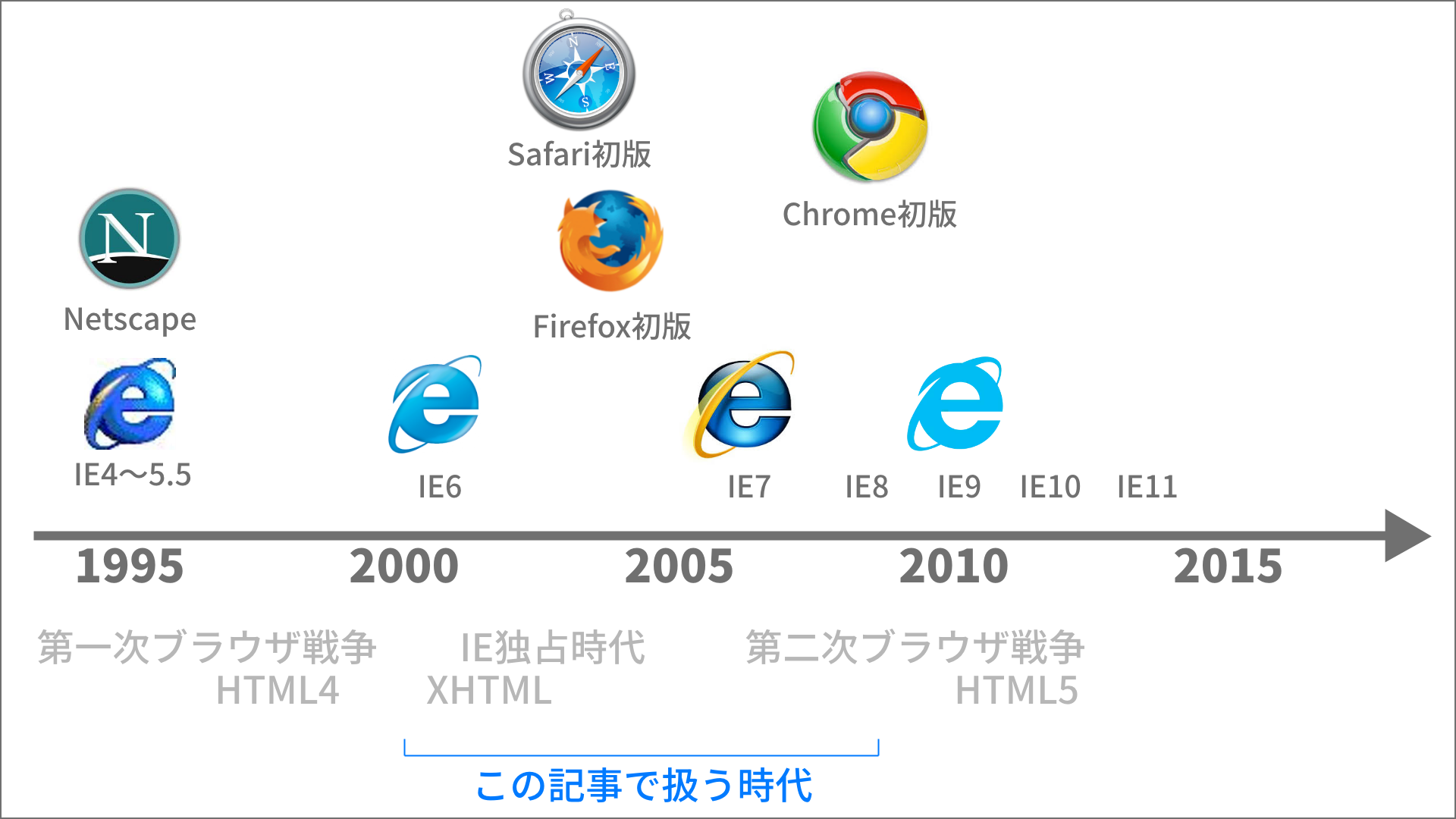
Table Layout / spacer.gif
Before XHTML and CSS became widespread, table layout was the norm. Table layout is a technique that uses the table tag to build a page in a grid. It also worked well with the “slice” feature in design tools such as ImageReady and Fireworks, which cut images out of design files.
<table border="0" cellspacing="0" cellpadding="0" width="760">
  <tr>
    <td colspan="2" width="100%" height="50" valign="top" bgcolor="#3498db">
      Header
    </td>
  </tr>
  <tr>
    <td width="200" align="center" valign="top" bgcolor="#e67e22">
      Sidebar
    </td>
    <td width="560" valign="top" bgcolor="#2ecc71">
      Content<br>
      <img src="imgs/spacer.gif" width="1" height="350" />
    </td>
  </tr>
  <tr>
    <td colspan="2" bgcolor="#95a5a6">
      Footer
    </td>
  </tr>
</table>
If you rendered this in Internet Explorer 6, the most advanced browser of the time, it looked like this.
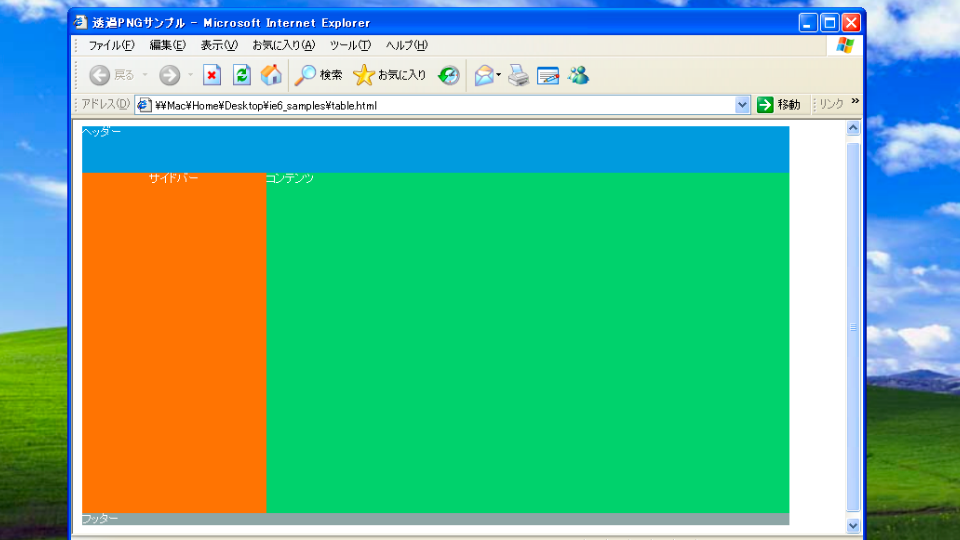
To ensure a minimum width and height, developers prepared a 1px transparent GIF file called spacer.gif and used it like a strut while building the layout.
<img src="spacer.gif" width="1" height="100%">

▲spacer.gif was just an ordinary image. It was given the role of creating space
Table layout was used by many HTML coders because it was less likely to break visually and required less to learn. However, it had clear drawbacks, such as the contradiction of using the table tag—originally meant for tabular data—for page design, and the large number of meaningless img tags added solely for spacer.gif.
As SEO became popular, XHTML also came into fashion, and the idea spread that “HTML should contain only document structure, while presentation should be separated into CSS.” Eventually, table layout faded away. It seems to have lasted longer in email newsletter coding, though…
PNG Couldn’t Handle Transparency in IE6
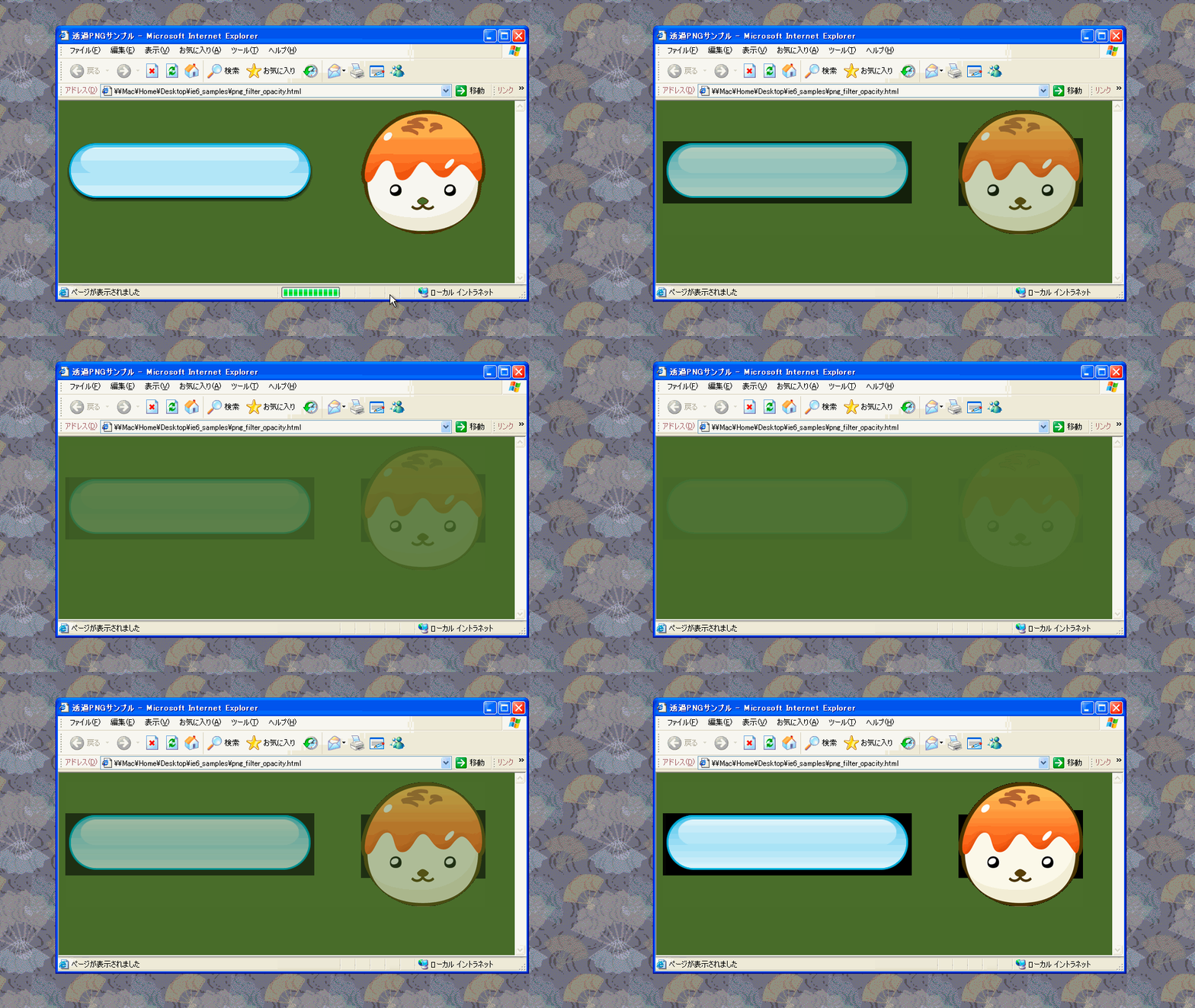
The PNG format is now used as a matter of course. Surprisingly, PNG transparency did not work in IE6. For example, if you displayed a PNG image with transparency in IE6, it looked like this.
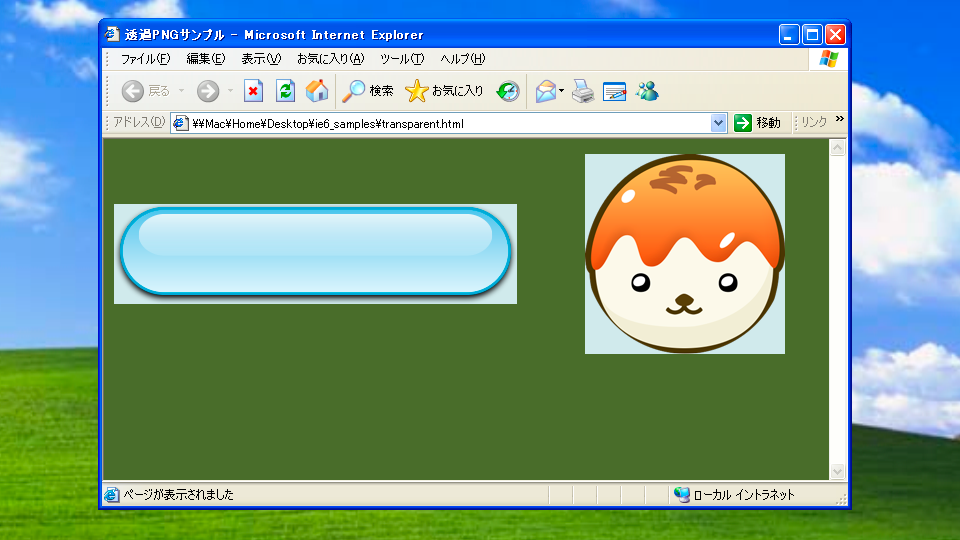
To work around this, you used an IE-specific method through the filter property. CSS Filter existed even back then.
.my-selector {
  filter: progid:DXImageTransform.Microsoft.AlphaImageLoader(src='transparent-image.png',sizingMethod='scale');
  background: none;
}
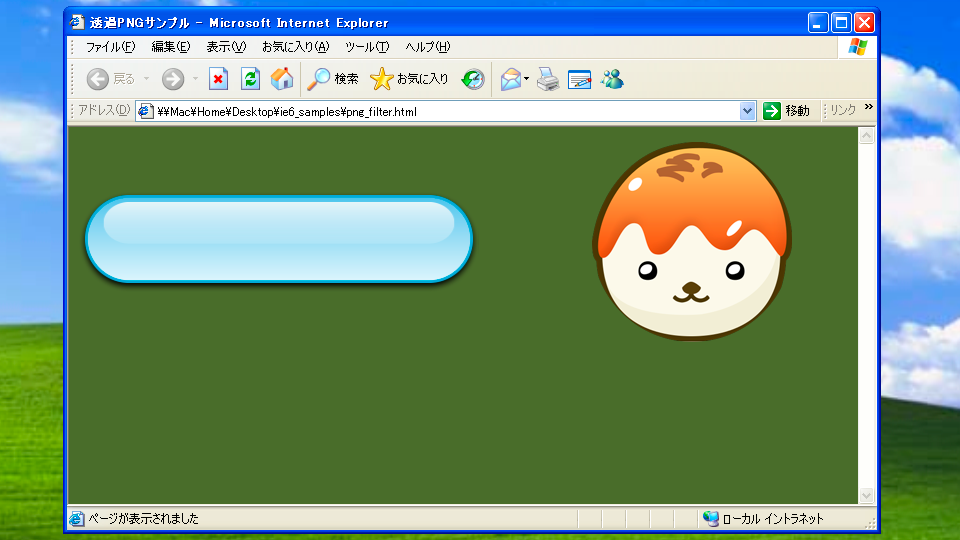
There were also workarounds such as the JavaScript library DD_belatedPNG.js for transparent PNGs and VML, IE’s vector markup language. Even though transparent PNGs became usable in IE7 and later, there was a bug where animations looked ugly when combined with the opacity property for transparency (strictly speaking, IE used filter: alpha(opacity=50)), so the fundamental fix had to wait until IE9.
Rounded Corners Were Made with Images
Back then, the only way to create rounded corners was to prepare them as images. In image-editing software, you used slicing to separate the variable parts from the fixed parts.
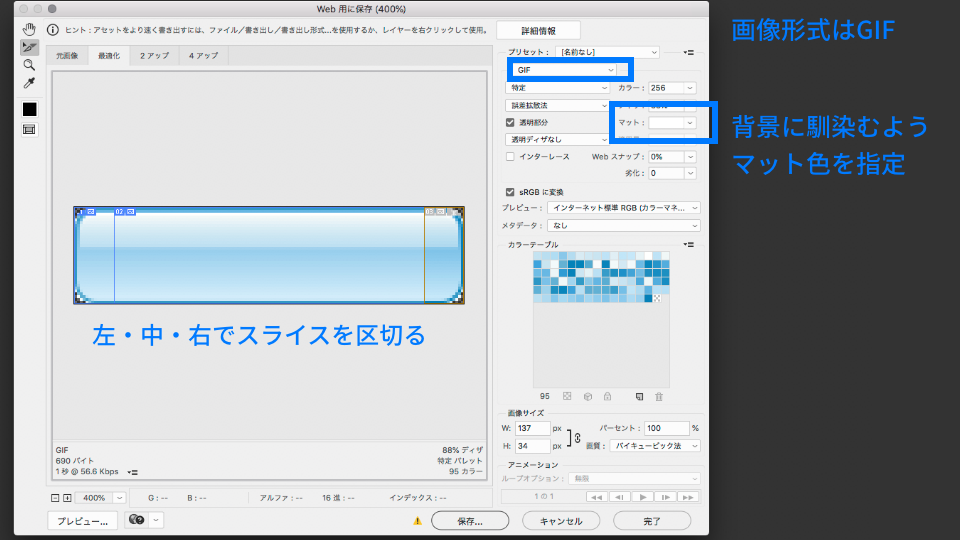
You then arranged those sliced images by splitting up div tags or placing them in a table. Here is a div-based example.
.btn-left {
  background: url("imgs/btn_left.gif") no-repeat;
  width: 14px;
  height: 34px;
  float: left;
}
.btn-center {
  background: url("imgs/btn_center.gif") repeat-x;
  height: 34px;
  line-height: 34px;
  float: left;
}
.btn-right {
  background: url("imgs/btn_right.gif") no-repeat;
  width: 14px;
  height: 34px;
  float: left;
}
<div class="btn">
  <div class="btn-left"></div>
  <div class="btn-center">Button</div>
  <div class="btn-right"></div>
</div>
With this approach, the button could stretch or shrink horizontally even if the text length changed.
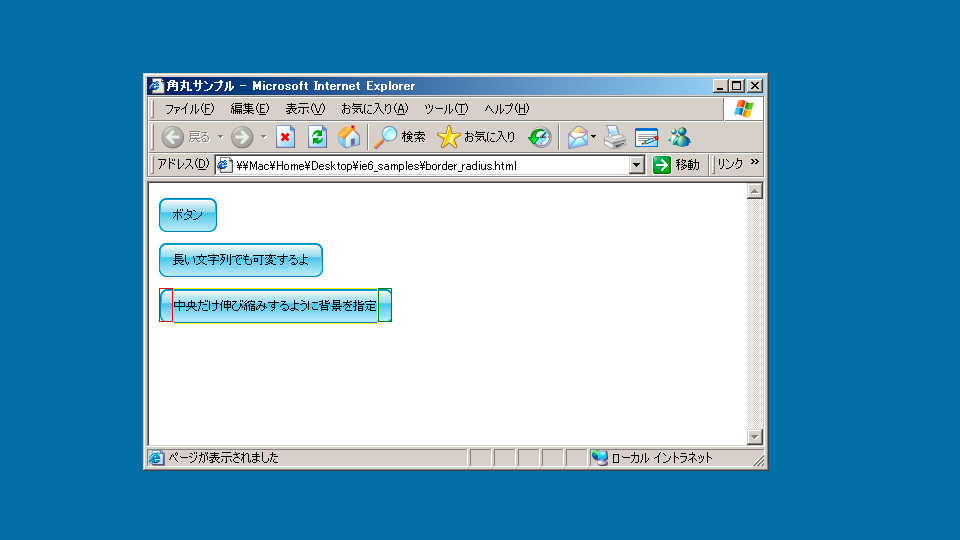
To make a box variable both horizontally and vertically, you had to slice an image into nine pieces and assemble it. It was tedious, to say the least. The border-radius property arrived with CSS3, and coding is overwhelmingly easier now.
CSS Hacks
Back then, rendering results varied greatly from browser to browser, so CSS often failed to display as expected in a particular browser. Wasn’t it an everyday occurrence for a design to break only in IE6, or for someone to desperately want to fix just Mac IE5.5?
CSS hacks are techniques that deliberately use syntax a browser cannot parse so that CSS is applied only to certain browsers. There were stylishly named techniques such as the “star hack” and the “holy hack,” but some of them used syntax that was not valid CSS in the first place, making them little more than a bundle of bad know-how.
/* CSS hack applied only to IE 6 and Mac IE 5 */
/* Because it uses a star (*), it is called the "star hack" */
* html p {
  color: #f00;
}

/* "Holy hack" used when you do not want it to apply to Mac IE */
/* \*/
p {
  color: #f00;
}
/* */

/* IE 7 star hack that applies only to IE 7 */
*:first-child + html p {
  color: #f00;
}
Conditional Comments
Conditional comments are a conditional HTML syntax that lets you hide or reveal code specifically for Internet Explorer. They first appeared in Internet Explorer 5 and were supported up through version 9. They also made browser branching easier.
<!--[if IE 6]>
<p>You are using Internet Explorer 6.</p>
<![endif]-->
<!--[if !IE]><!-->
<p>You are not using Internet Explorer.</p>
<!--<![endif]-->
You could also use conditional comments to load different CSS files for each IE version.
<!--[if IE 6]>
<link rel="stylesheet" href="ie6.css" />
<![endif]-->

<!--[if IE 7]>
<link rel="stylesheet" href="ie7.css" />
<![endif]-->
Unlike the earlier CSS hacks, which were a dirty trick, conditional comments could be used as a proper, orthodox solution.
IE6 Behavior Changed Depending on the DOCTYPE Declaration
IE has two rendering modes: quirks mode and standards mode. In the CSS specification, padding sits outside width, but in quirks mode padding is treated as part of width. The rendering mode changes depending on the DOCTYPE declaration.
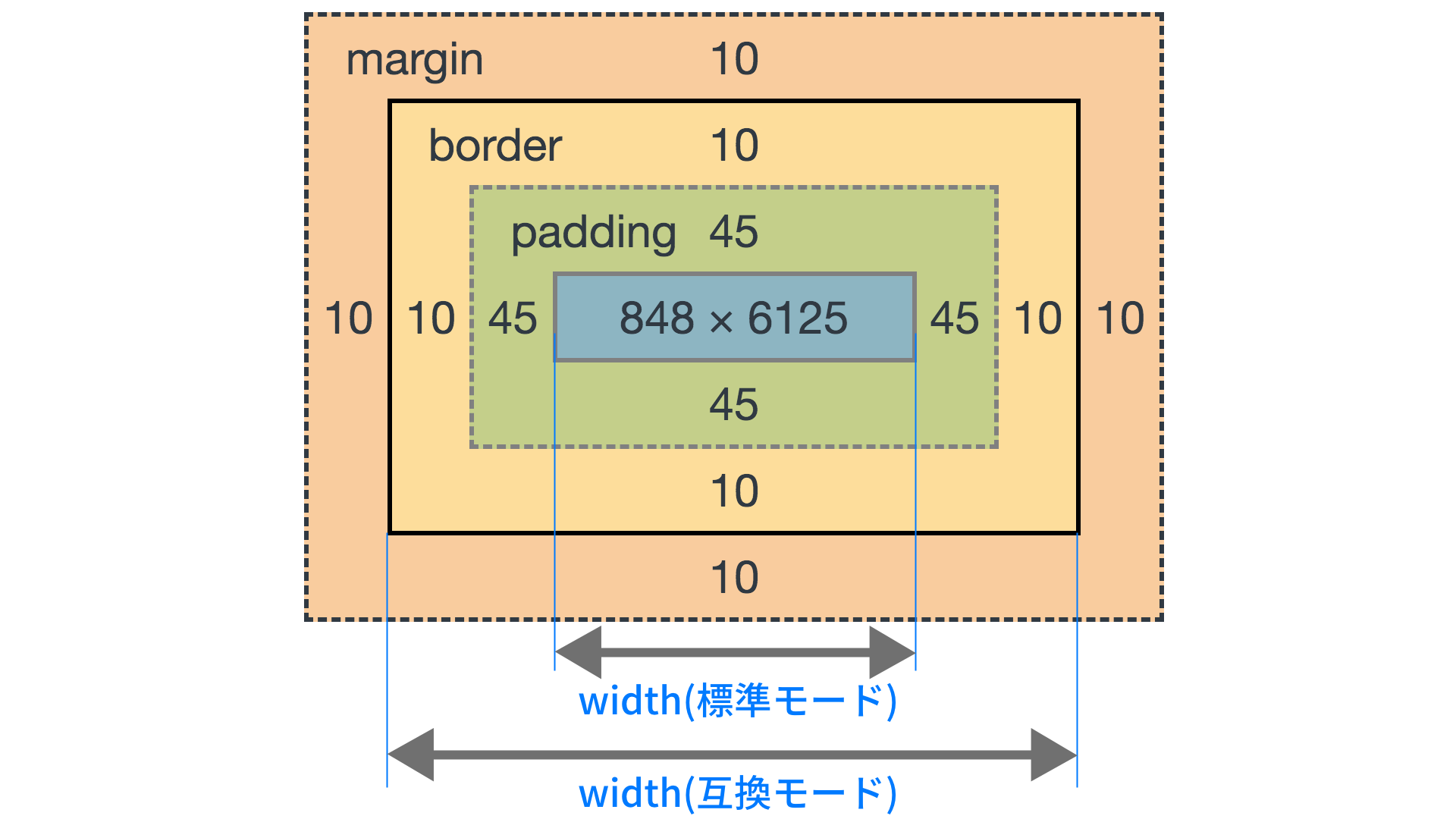
If you omitted the DOCTYPE declaration, the page would fall into quirks mode, so developers wrote an XHTML or HTML 4.01 DOCTYPE declaration at the top of the HTML.
<!DOCTYPE html PUBLIC "-//W3C//DTD XHTML 1.0 Transitional//EN" "http://www.w3.org/TR/xhtml1/DTD/xhtml1-transitional.dtd">
<!-- With XHTML 1.0 Transitional, standards mode is used -->
<!DOCTYPE HTML PUBLIC "-//W3C//DTD HTML 4.01 Transitional//EN"
"http://www.w3.org/TR/html4/loose.dtd">
<!-- With the HTML 4.01 declaration, standards mode is used -->
In XHTML, which was mainstream at the time, putting the XML declaration at the top was considered the correct approach (the Another HTML-lint gateway strongly recommended it at the time). However, IE6 required the document to begin with <!DOCTYPE, and it had an unfortunate bug where the presence of an XML declaration would switch it into quirks mode. Because of this, many sites deliberately omitted the XML declaration—giving up on a perfect validator score—to avoid the problem.
<?xml version="1.0"?>
<!DOCTYPE html PUBLIC "-//W3C//DTD XHTML 1.0 Transitional//EN" "http://www.w3.org/TR/xhtml1/DTD/xhtml1-transitional.dtd">
<!-- If an XML declaration is present, quirks mode is used -->
HTML5’s <!DOCTYPE html> declaration was defined with backward compatibility in mind so that IE would also operate in standards mode.
In modern CSS, specifying box-sizing: border-box lets you treat box width the way IE quirks mode did. Am I the only one who feels that the quirks-mode-like border-box is easier to understand?
IE6 Doubled the Margin on Floated Elements
Before Flexbox and Grid arrived, float-based layout was the norm. In fact, IE6 had a bug where the margin value became doubled in the direction of the float. It was a classic stumbling block for beginners, and countless coders must have suffered from it…
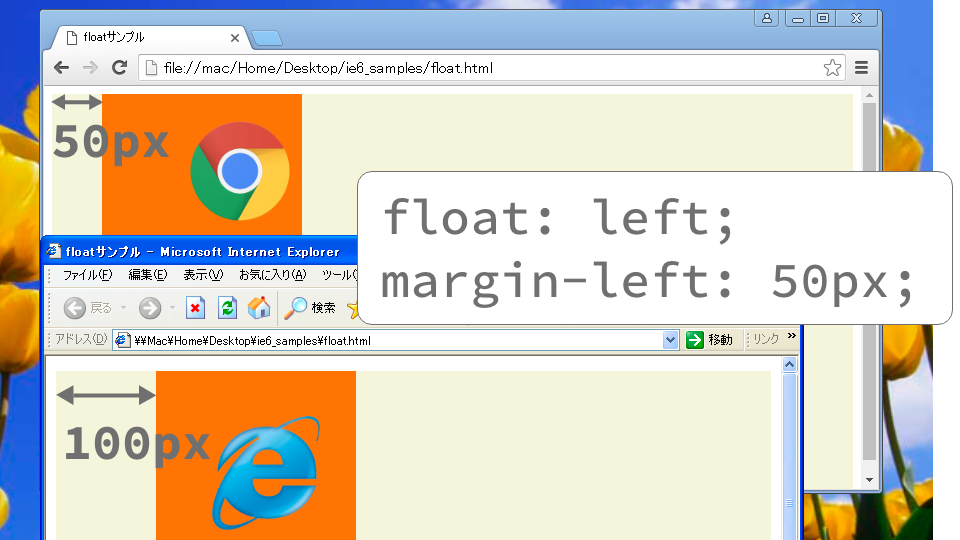
Typical workarounds included avoiding margin in the floated direction or substituting padding instead. Since Flexbox and Grid have become mainstream, this may remain just one more hardship of the past.
JavaScript Worked Differently
It wasn’t just HTML and CSS—JavaScript was painful too. IE came with a language called JScript, and its usage differed slightly from the JavaScript used in Netscape and Firefox. As a result, you always had to write JavaScript with browser branching in mind.
For example, IE could not use the addEventListener() method for registering events, so you had to use attachEvent() instead.
// The method name is different right from the start
if (isIE) {
  element.attachEvent("onclick", mylistener);
} else {
  element.addEventListener("click", mylistener, true);
  // Back then, the third argument of addEventListener was also required
}
Stylesheet handling also differed between IE and Firefox.
if (isIE) {
  elem.style.styleFloat = "left";
} else {
  elem.style.cssFloat = "left";
}
Because IE and other browsers behaved differently, JavaScript development was a constant struggle. This is one reason JavaScript libraries that absorbed browser differences were treated like heroes, and jQuery exploded in popularity.
JavaScript Was Debugged with alert
Browsers at the time did not have the console.log() method for debug output, so developers made heavy use of alert() and innerHTML. Once the Firefox extension Firebug appeared and provided a console, development efficiency must have improved dramatically.
alert("count = " + count);

▲There was no choice but to debug by firing alerts over and over
The console.log() method became available starting with IE8, but it caused an error unless the F12 Developer Tools were open. It was common to accidentally leave a console.log() in the code and have it fail only in IE.
console.log("foo"); // Error in IE9 and below

// No script after console.log will run at all

▲When an error occurred in IE, you had to inspect the dialog box to find where it happened. Many people probably struggled with this hard-to-use UI
Use Comments Inside Script Tags
Some ancient browsers could not parse the script tag. In unsupported browsers, terrifyingly enough, the contents of the script tag would be displayed directly on the page as text. By placing HTML comments inside the script tag, developers prevented the contents of the script element from being shown.
<script language="JavaScript"></script>
In XHTML, the ideal approach was to write it using a CDATA section.
<script type="text/javascript" language="JavaScript"></script>
Today, browsers that cannot parse the script tag effectively no longer exist, so scripts can be written simply.
<script>
alert("Script contents");
</script>
IE-Specific Features
IE had its own CSS and JavaScript commands. They were convenient in their own way. For example, there was a command for adding a site to Favorites, so websites sometimes had buttons labeled “Add to Favorites.”
// Method for adding to Favorites
window.external.AddFavorite(
  "https://ics.media/",
  "ICS MEDIA"
);
Changing the scrollbar color was also popular. It was common on personal websites.
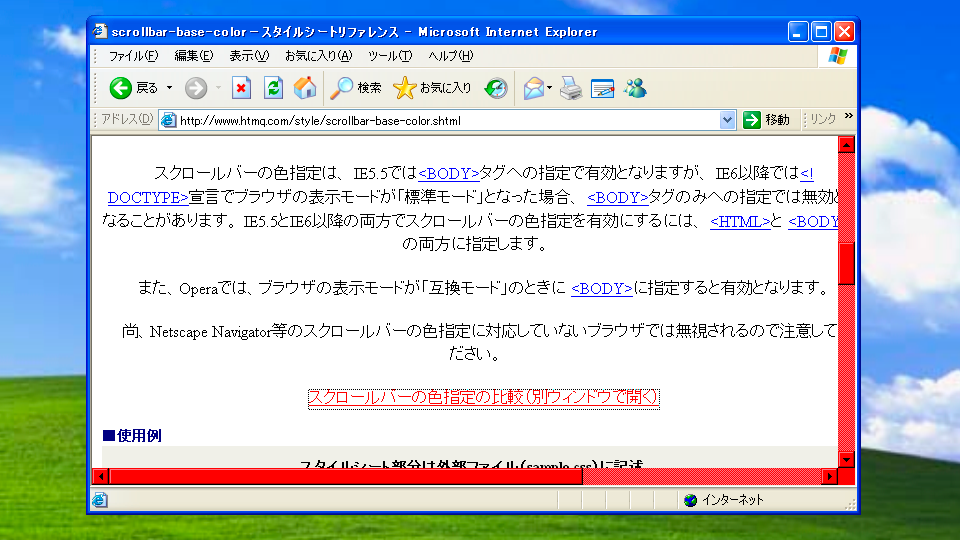
In fact, current versions of Chrome and Safari also allow scrollbar customization with CSS.
Conclusion
Website coding techniques evolve rapidly. Looking back, you can see how each new era demanded the next generation of technology: the need for SEO and growing awareness of semantics led to the separation of XHTML and CSS, and the rise of mobile devices made responsive web design necessary.
Coding practices for web content will likely continue to change with the times. It may be wise to code with an architecture that makes future renewals easier. For more on how JavaScript has changed over time, the article “脱jQueryのためにしたこと” may also be helpful.